
Campaigns themselves are created, scheduled and sent entirely inside your Brand Account - your portal account only controls whether sending is allowed to happen at all. If a campaign didn't go out, check these three things here first, then check the campaign's own status inside your Brand Account.
Check your sending allowance
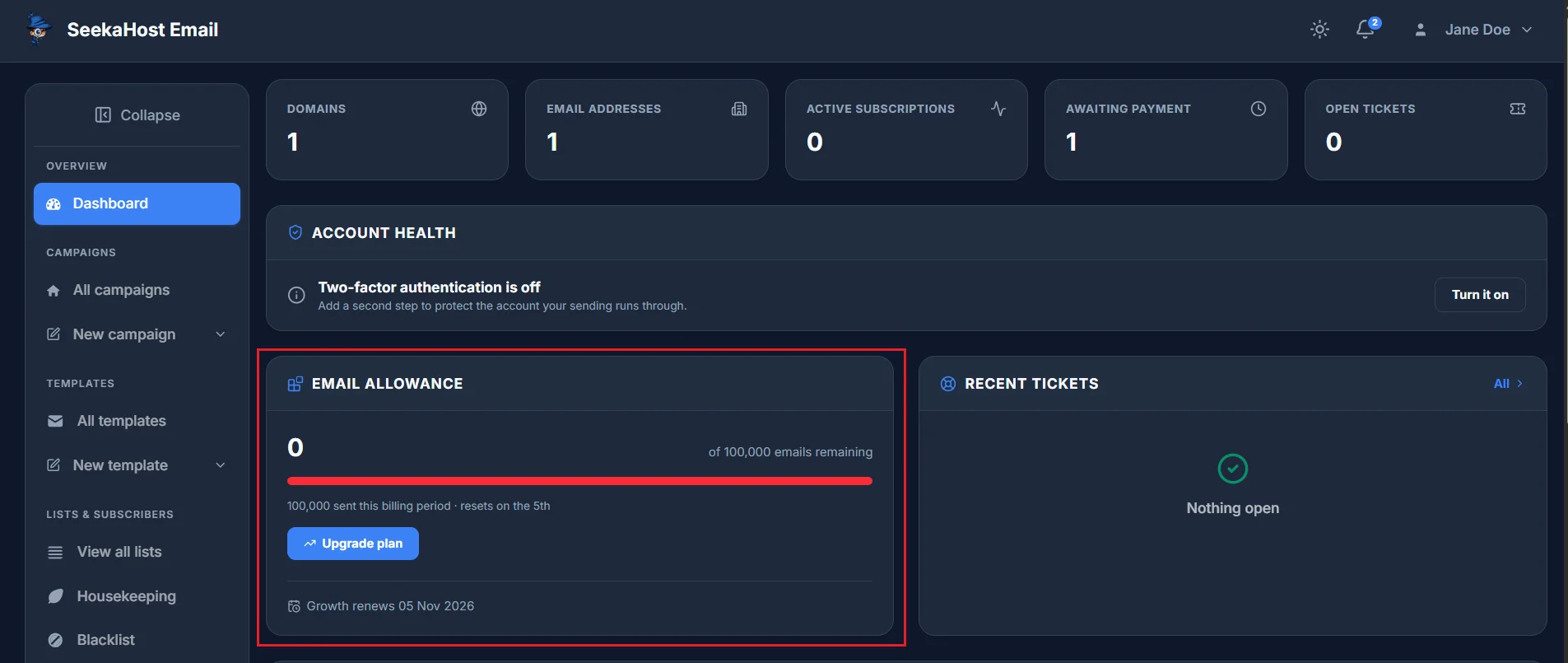
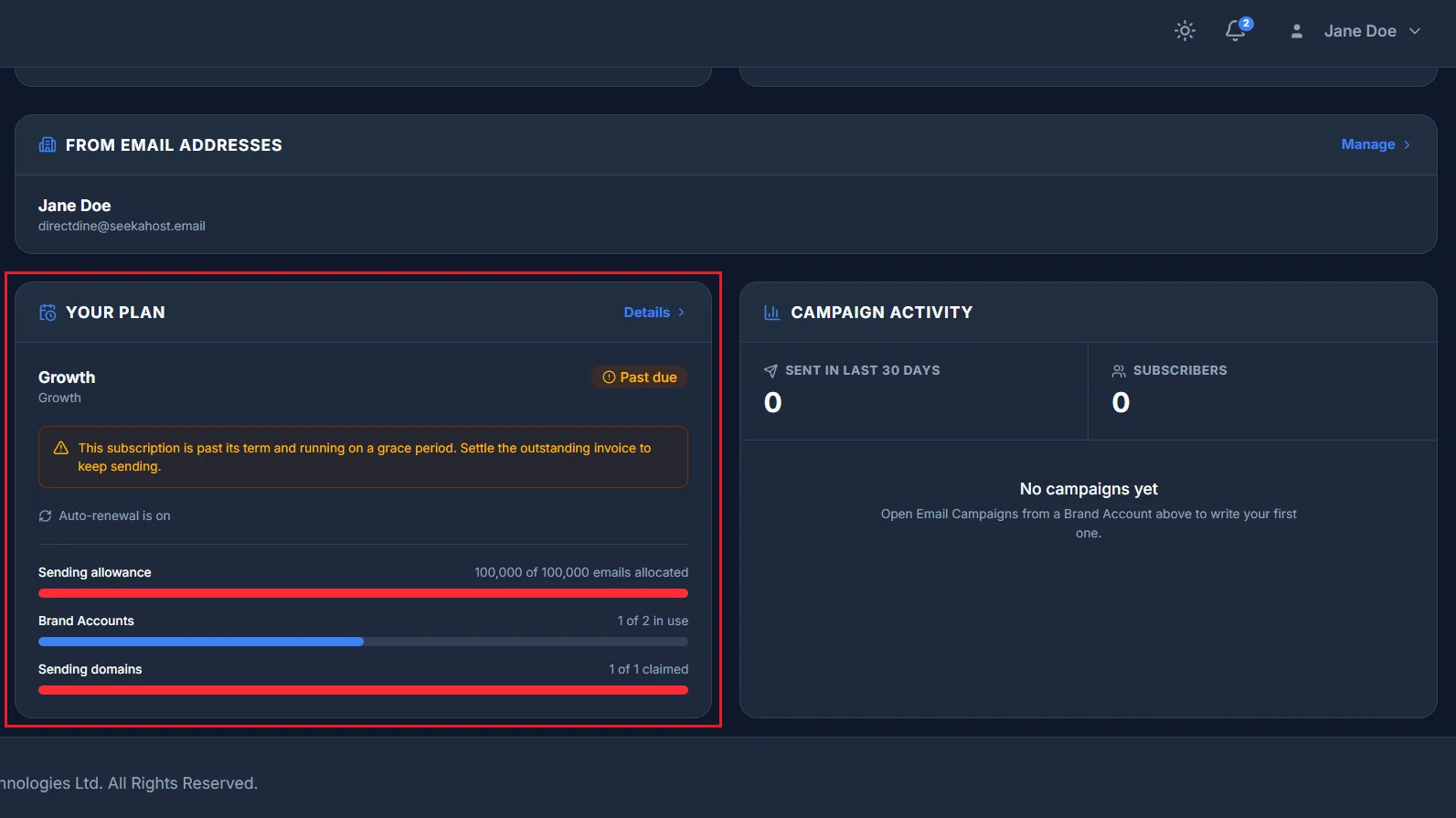
If you've used up your monthly sending allowance, sending stops until it resets or you upgrade. Your Email allowance and Your plan cards on the dashboard show exactly how much you've used and when it renews.
Check your account isn't paused
A failed or overdue payment suspends sending immediately - not just once the grace period runs out. If a payment's declined, resolve it and sending resumes automatically.
Domain verification isn't the blocker
If you're still waiting on your own sending domain to verify, that alone won't stop a campaign from sending - mail goes out through SeekaHost's own verified domain in the meantime, with your address set as Reply-To. So a pending domain check isn't usually the reason a campaign didn't go.
Still didn't send?
If none of the above explains it, the next place to look is the campaign's own status inside your Brand Account - whether it's still a draft, genuinely scheduled for a future time, or already reported as sent. If it still doesn't add up, raise a ticket and we'll dig into it with you.