
After you submit the sign-up form, there's one more quick step before your account is active - confirming the email address you signed up with.
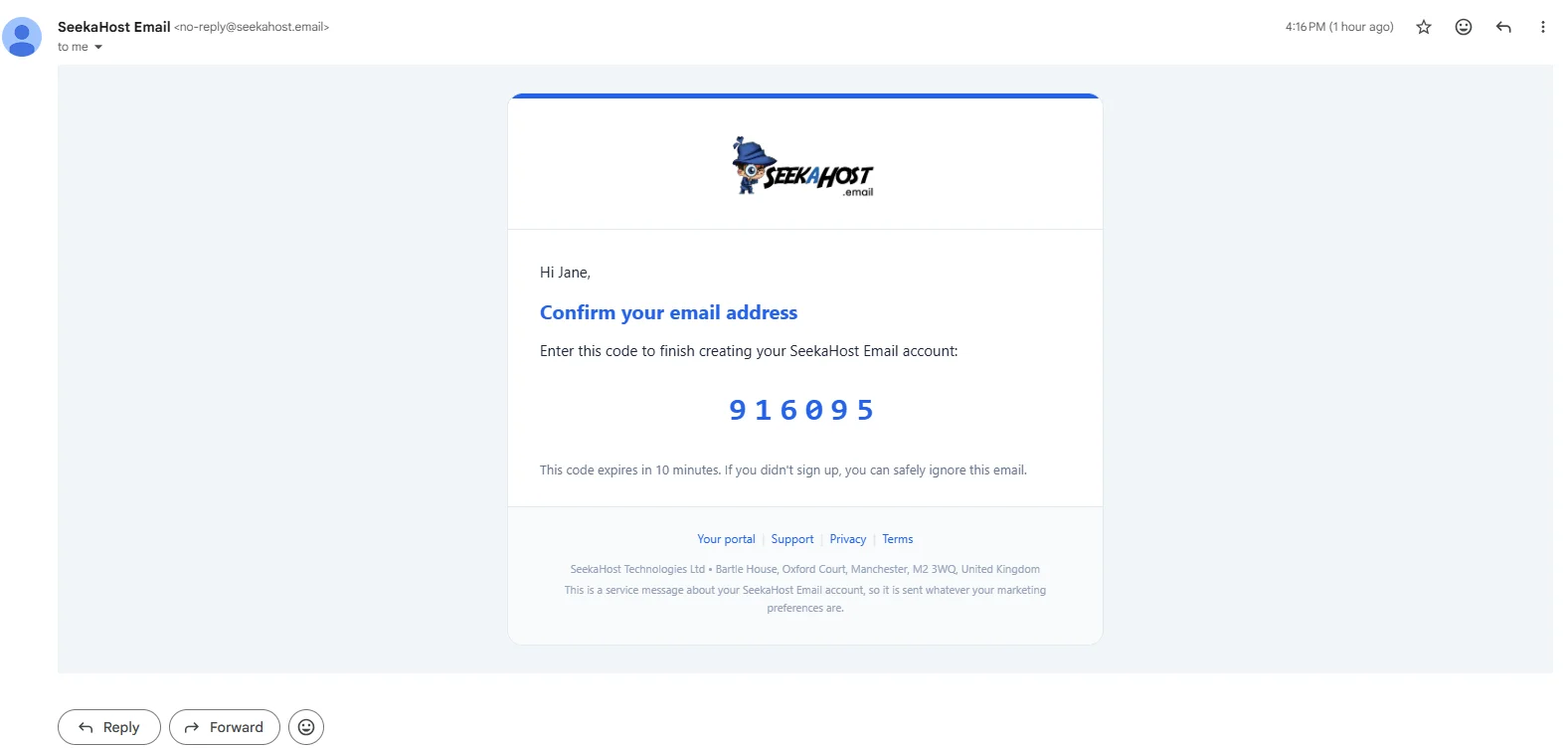
Within moments, an email from SeekaHost Email arrives with your 6-digit code:
Entering your code
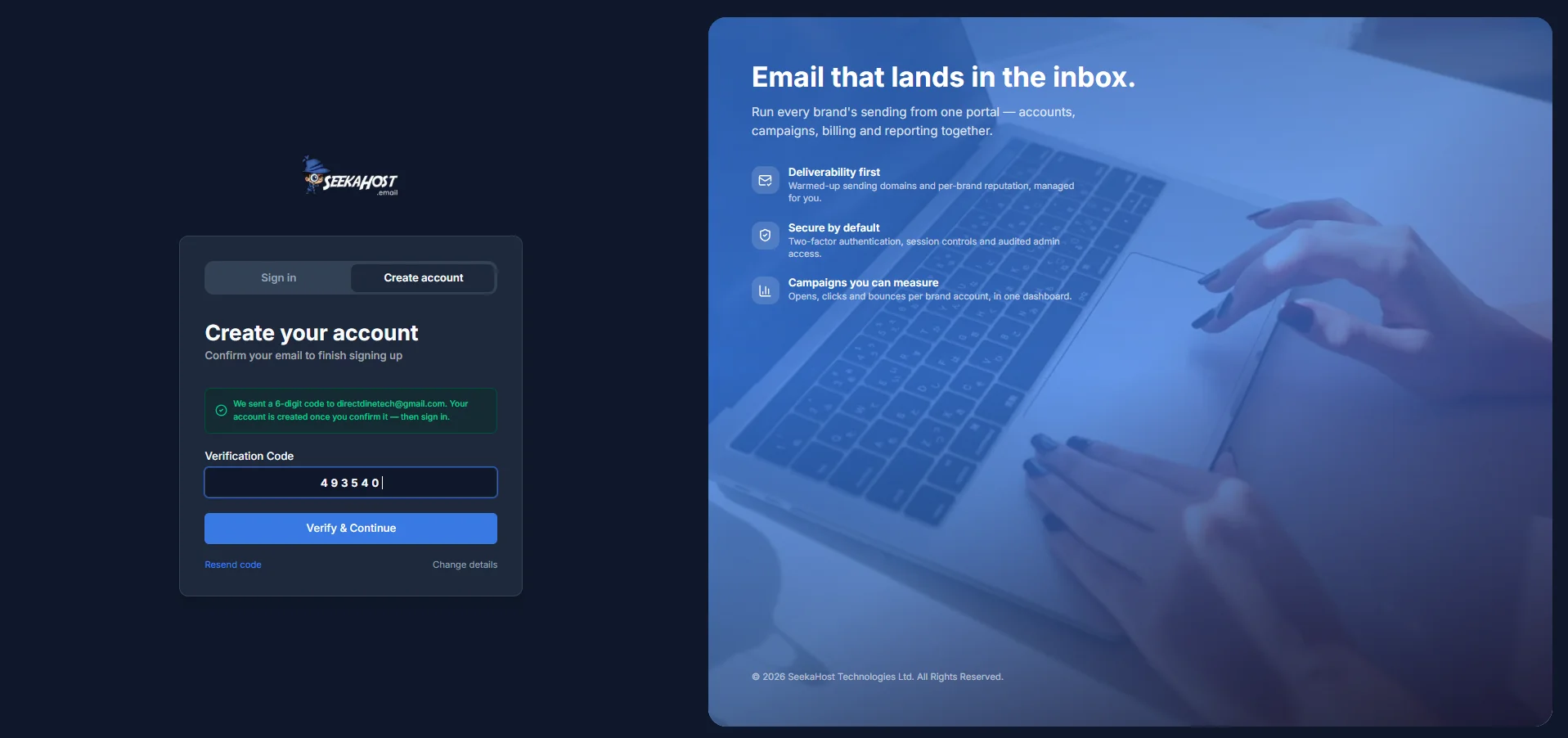
We send a 6-digit code to the email address you entered. Type it into the Verification Code field and click Verify & Continue.
- The code expires 10 minutes after it's sent.
- You get 5 attempts to enter it correctly - after that, the code stops working and you'll need a new one.
- As an extra safety measure, you can only try verifying a code up to 10 times in any 15-minute period.
If something goes wrong
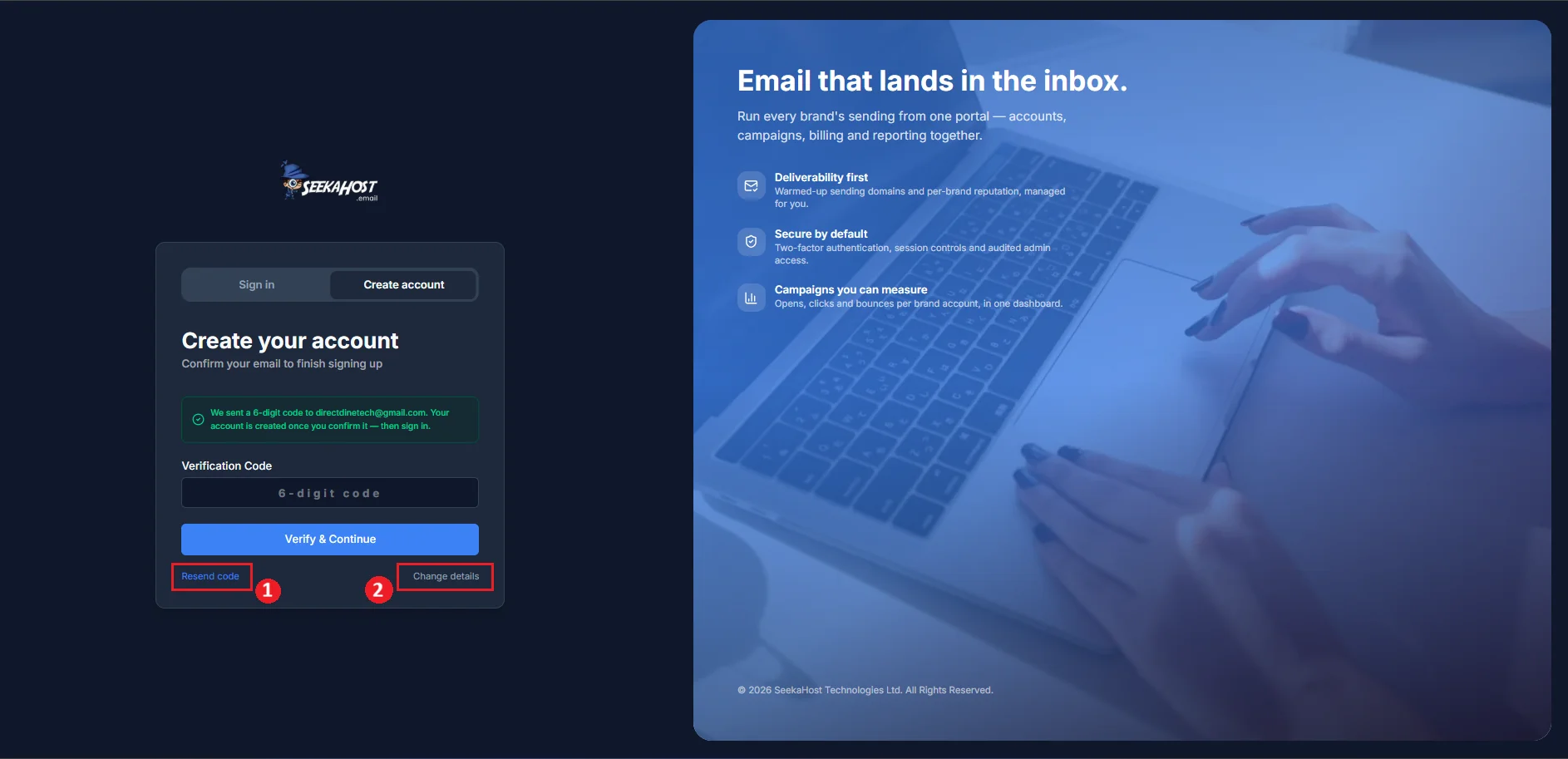
Two links below the form cover the two most common situations:
- Resend code - sends a brand new code to the same address and resets your attempt count, so a few wrong guesses won't lock you out. You can request a new code up to 5 times an hour.
- Change details - takes you back to the sign-up form with everything you already typed still filled in, so you can fix a mistake (usually the email address) and submit again. This also sends you a fresh code.
Code never showed up at all, even after a resend? Why haven't I received a confirmation email? →
Once your code is accepted, your account is verified and you're moved to the sign-in tab to log in with the password you just created.
Enter your email and the password you just created to finish signing in. How to sign in to your account →