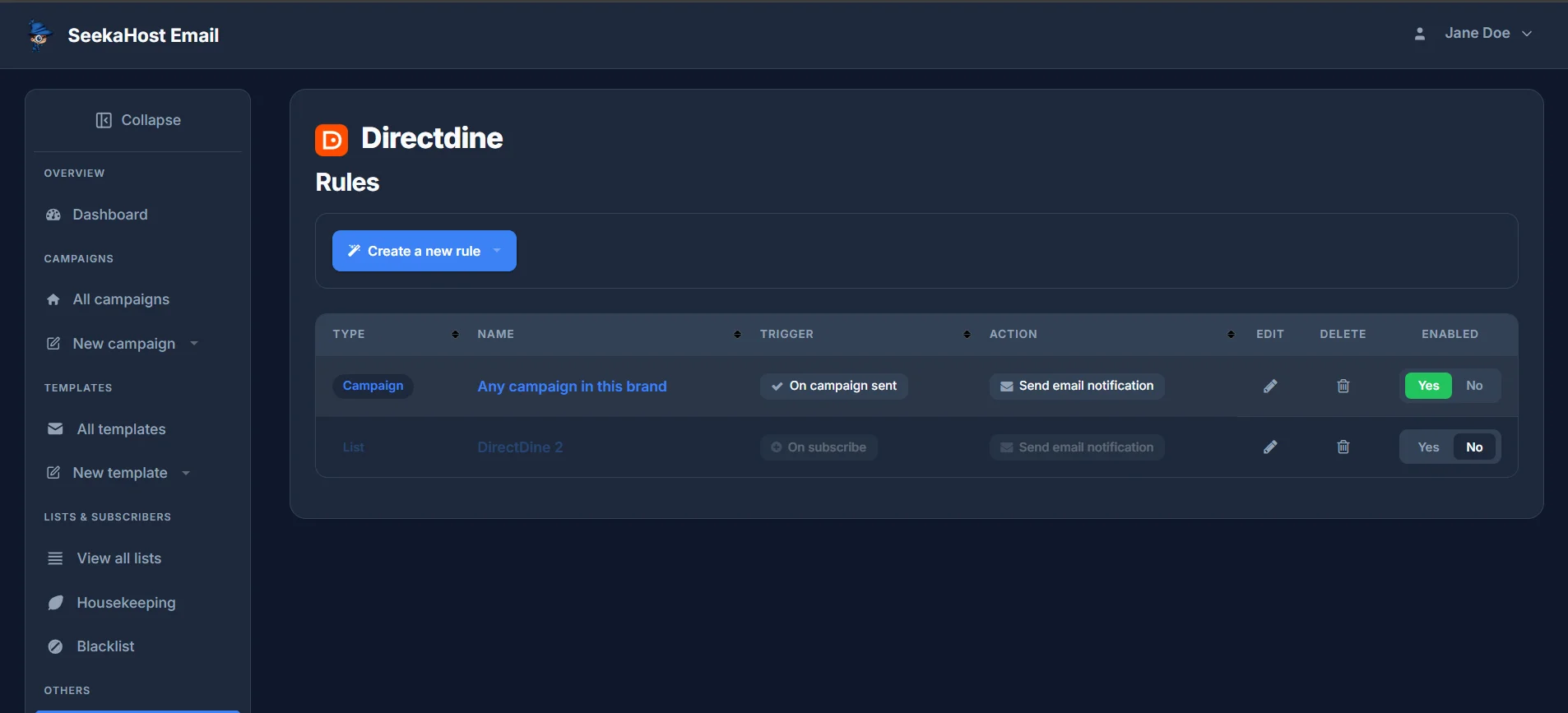
Rules, under Others in the sidebar, send an email notification automatically whenever something happens on a campaign or a list - no need to keep checking back manually.
Choosing a trigger
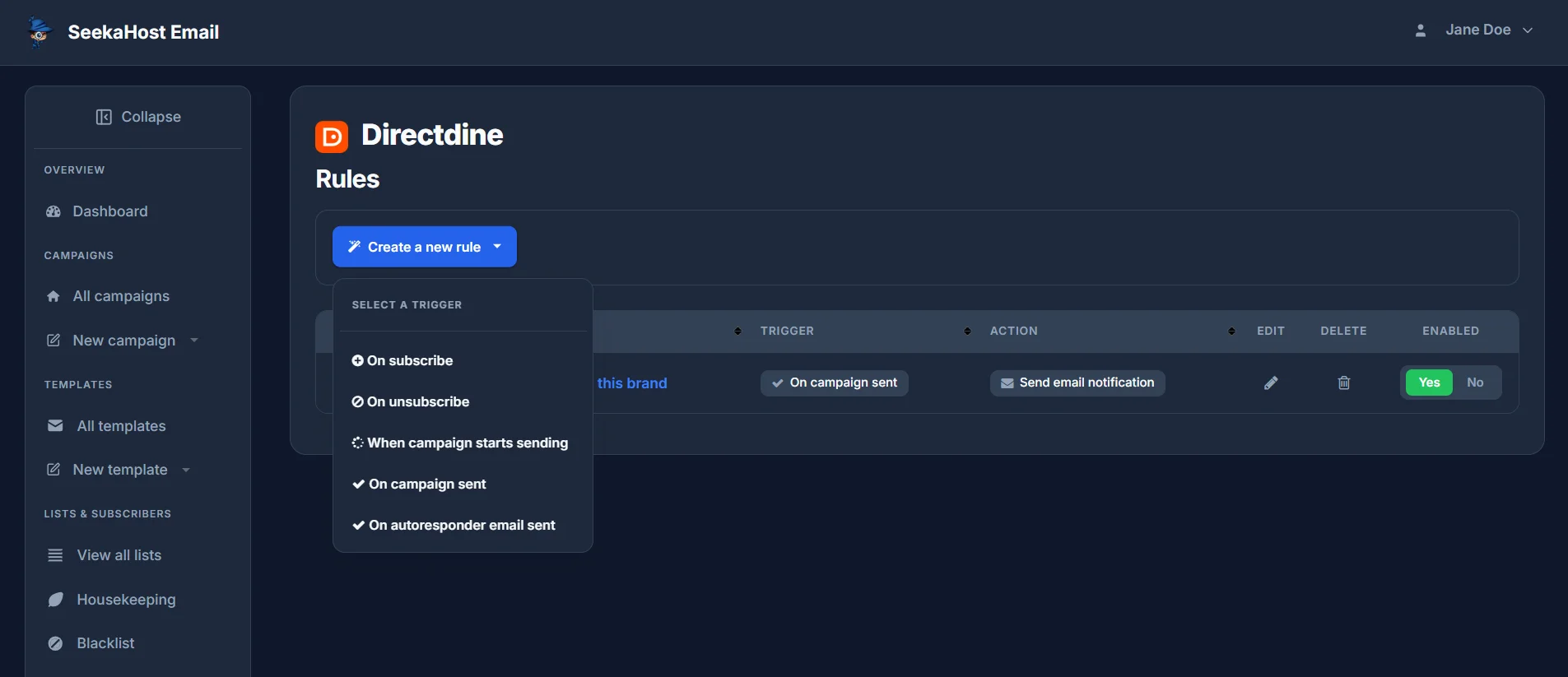
Click Create a new rule and pick what should set it off:
- On subscribe - someone joins a list.
- On unsubscribe - someone leaves a list.
- When campaign starts sending - a campaign begins going out.
- On campaign sent - a campaign finishes sending.
- On autoresponder email sent - an automated email in a sequence goes out.
The action
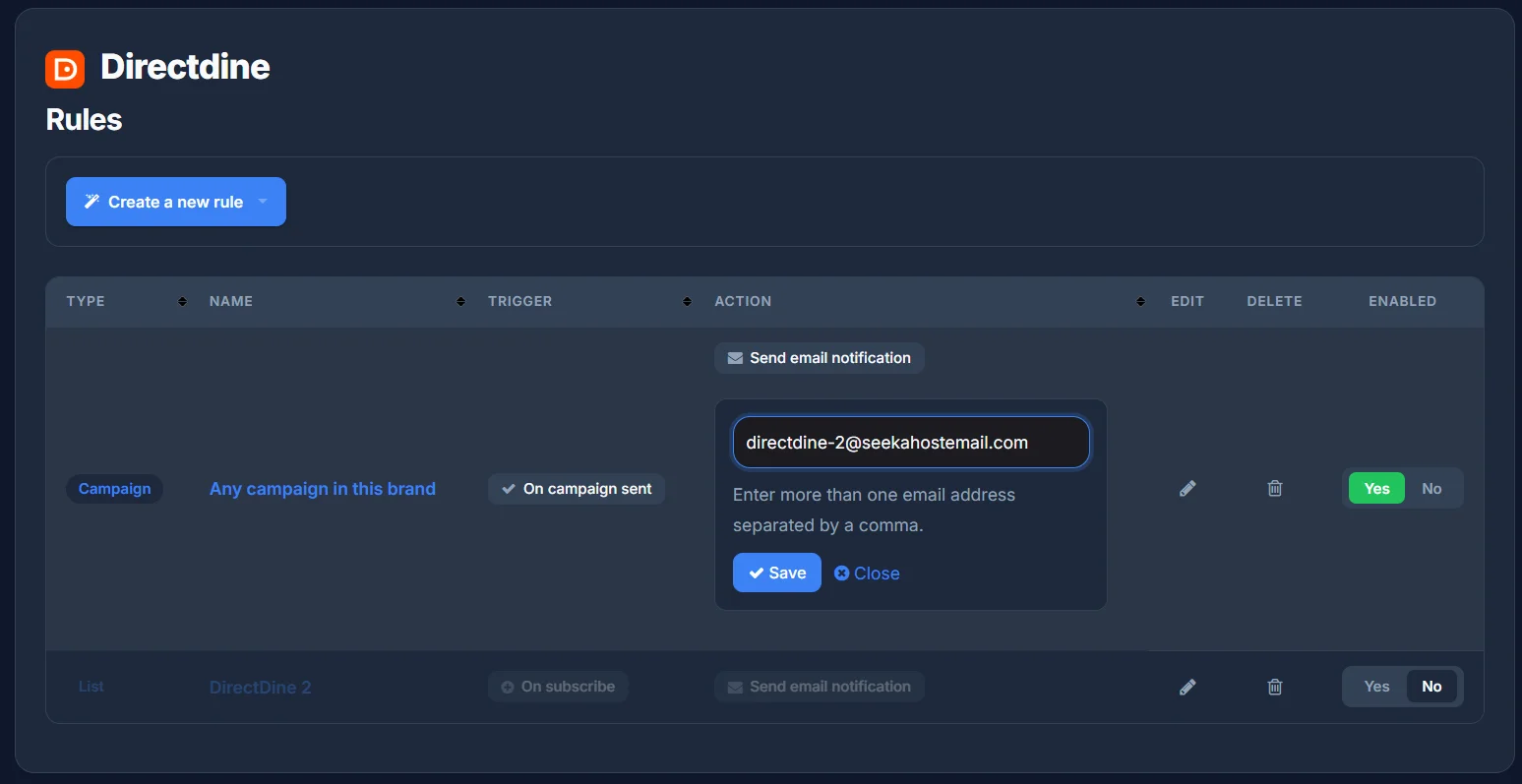
Right now there's one action: Send email notification. Type the address (or addresses, separated by commas) that should hear about it, then Save.
Managing your rules
Every rule you create is listed with its Type (Campaign or List) and Name - either a specific campaign or list, or "Any campaign in this brand" if it applies to all of them - alongside its trigger and action. Use Edit or Delete on any rule, or flip Enabled to Yes or No to switch one off without deleting it.