
Every invoice we've issued you is kept under Billing → Invoices, for as long as you need to refer back to it.
Finding an invoice
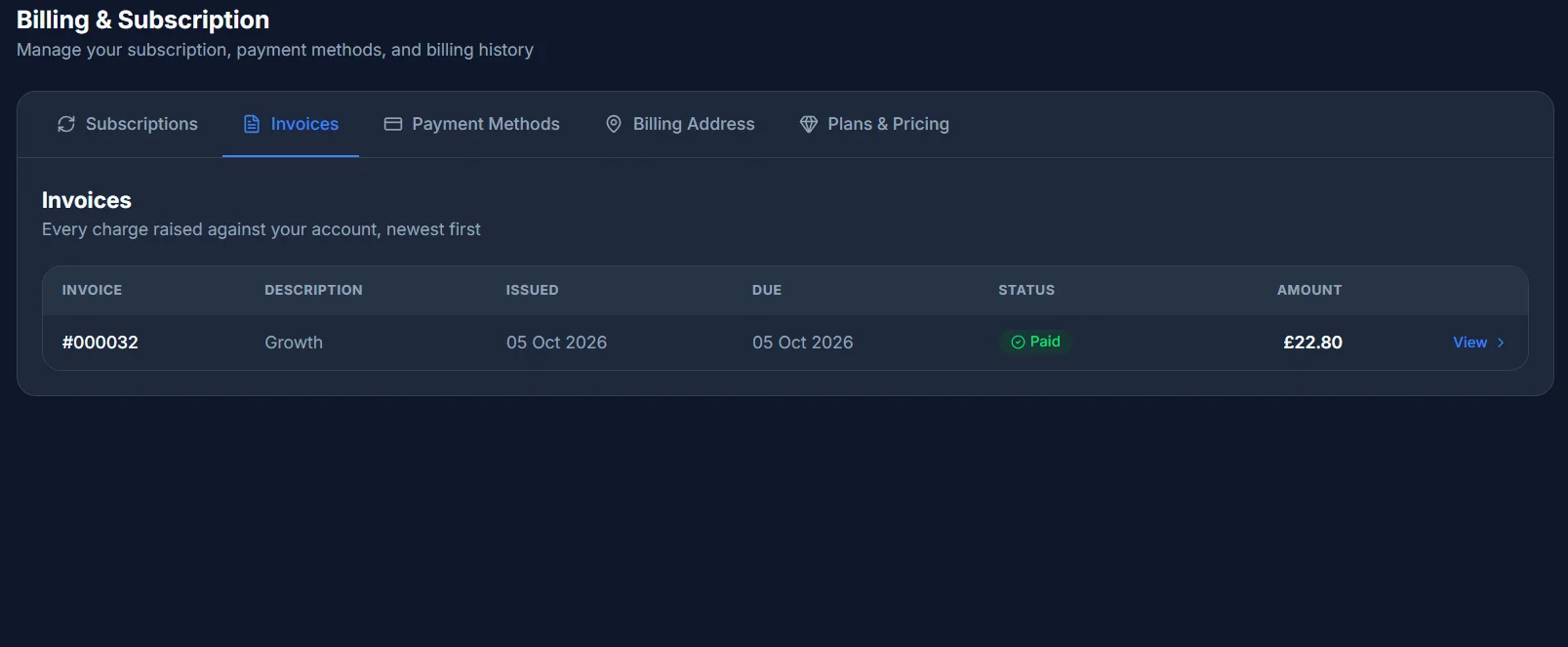
The list shows each invoice's number, a short description, when it was issued, when it's due, its status, and the amount - with a Pay now link if it's still unpaid, or View to open it.
What's on an invoice
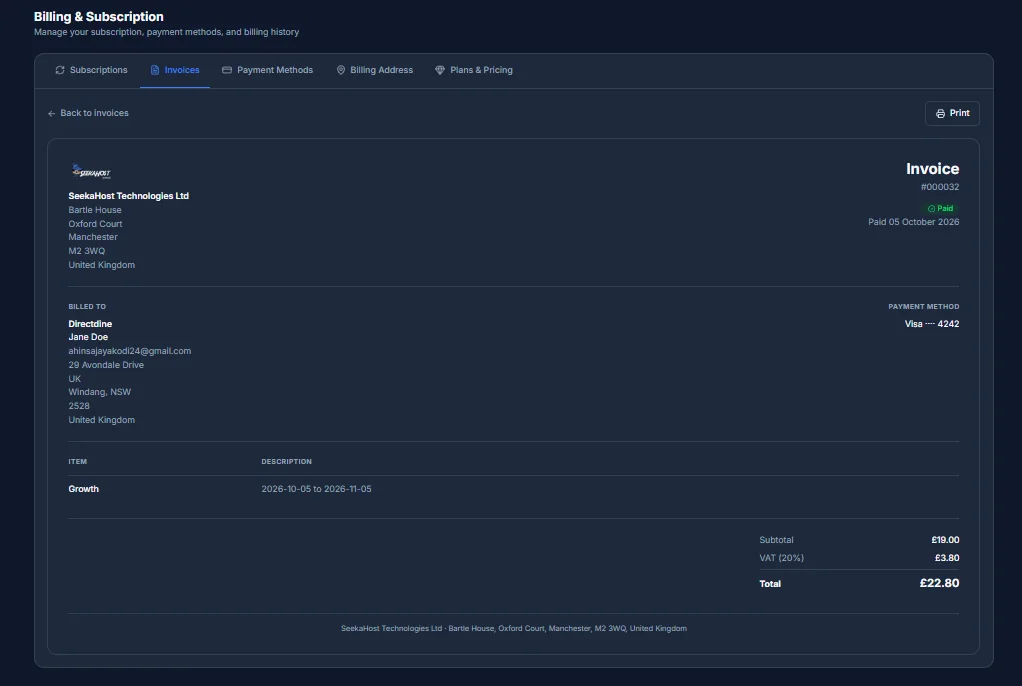
Opening one shows its full breakdown - the plan, any add-ons or promotions applied, and tax - followed by a totals block: Subtotal, Discount, VAT, Total, and Refunded if any of it was refunded.
Printing a copy
Click Print on an invoice's detail page and it opens your browser's own print dialog, formatted cleanly for paper. There's no separate PDF download - if you want a file rather than a printout, choose "Save as PDF" (or similar) as the destination in that same print dialog.