
Three plans to choose from - pick the one that fits how many subscribers you have and how many emails you send a month. You don't need to get it exactly right up front, since you can change plans at any time once you're signed up.
Where to compare plans
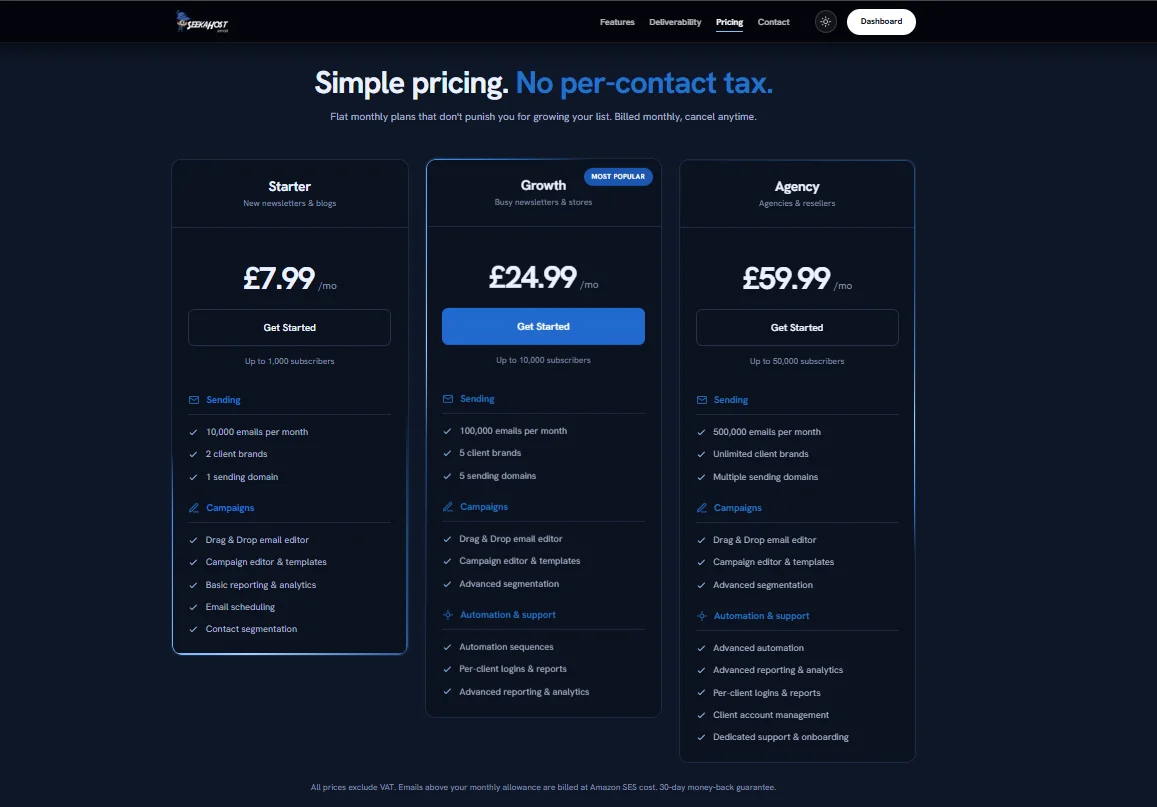
Before you've signed up, the public pricing page lays out every plan side by side.
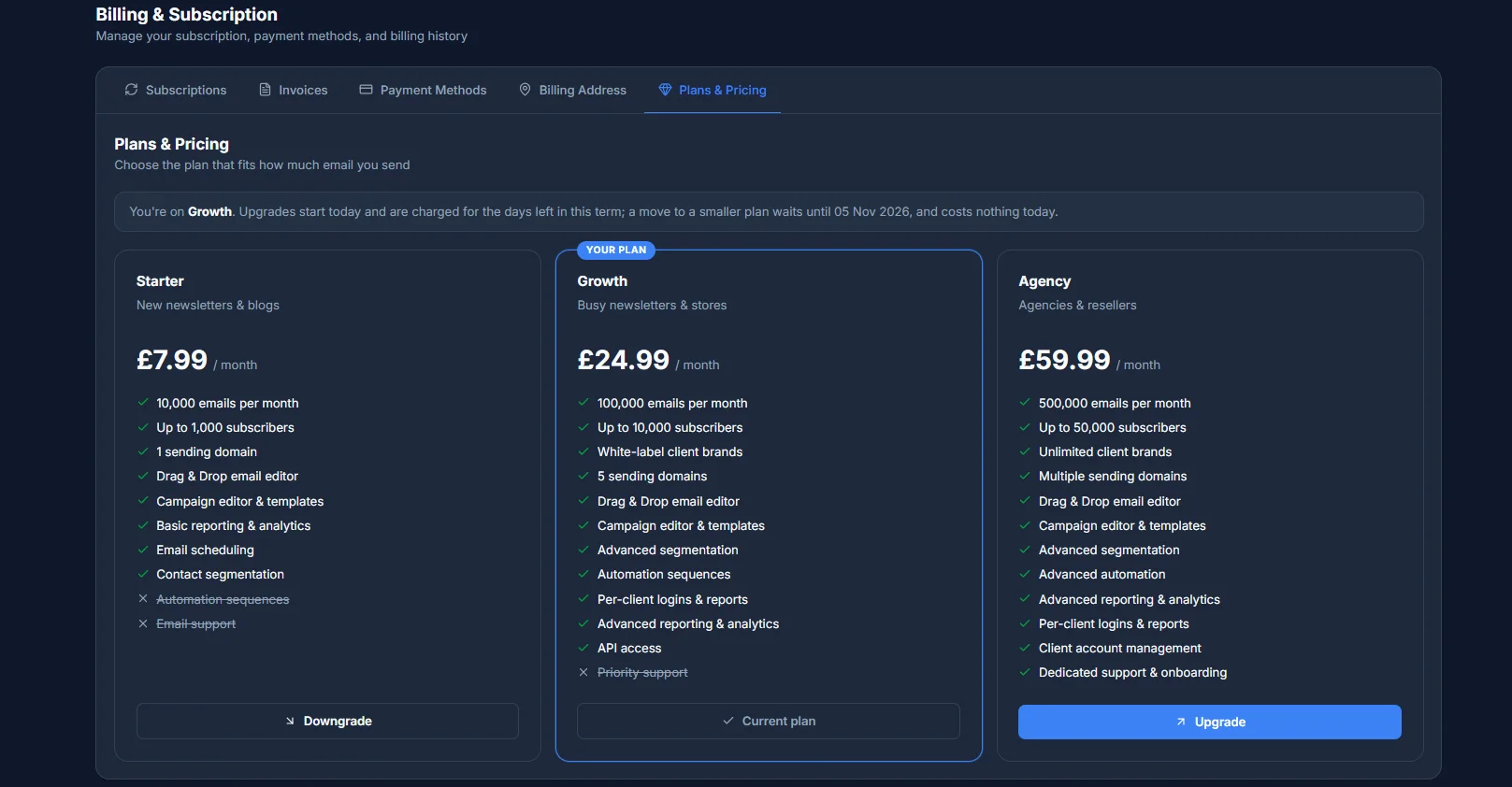
Once you're signed in, Billing → Plans & Pricing shows the same comparison from inside your portal, with your current plan marked and Upgrade or Downgrade buttons on the others.
Starter - £7.99/month
Built for new newsletters and blogs. Up to 1,000 subscribers.
- 10,000 emails per month
- 2 client brands
- 1 sending domain
- Drag & Drop email editor, campaign editor & templates
- Basic reporting & analytics
- Email scheduling and contact segmentation
Growth - £24.99/month
Our most popular plan, built for busy newsletters and stores. Up to 10,000 subscribers.
- 100,000 emails per month
- 5 client brands
- 5 sending domains
- Drag & Drop email editor, campaign editor & templates
- Advanced segmentation
- Automation sequences
- Per-client logins & reports
- Advanced reporting & analytics
Agency - £59.99/month
Built for agencies and resellers. Up to 50,000 subscribers.
- 500,000 emails per month
- Unlimited client brands
- Multiple sending domains
- Drag & Drop email editor, campaign editor & templates
- Advanced segmentation
- Advanced automation
- Advanced reporting & analytics
- Per-client logins & reports
- Client account management
- Dedicated support & onboarding
How limits are calculated
Your sending allowance resets back to your plan's full amount at the start of every billing period, whether that's a renewal or a plan change. Brand accounts and sending domains work differently - they're live counts tied to what you've actually set up, not something that resets on a timer. Prices shown exclude VAT, and any emails sent above your monthly allowance are billed at cost. You can cancel your plan any time.
If you're unsure between two plans, it's usually safer to start on the lower one - upgrading later takes effect immediately, while downgrading waits until your current term ends.